How to Set Up Email Reminders for Contract Renewals
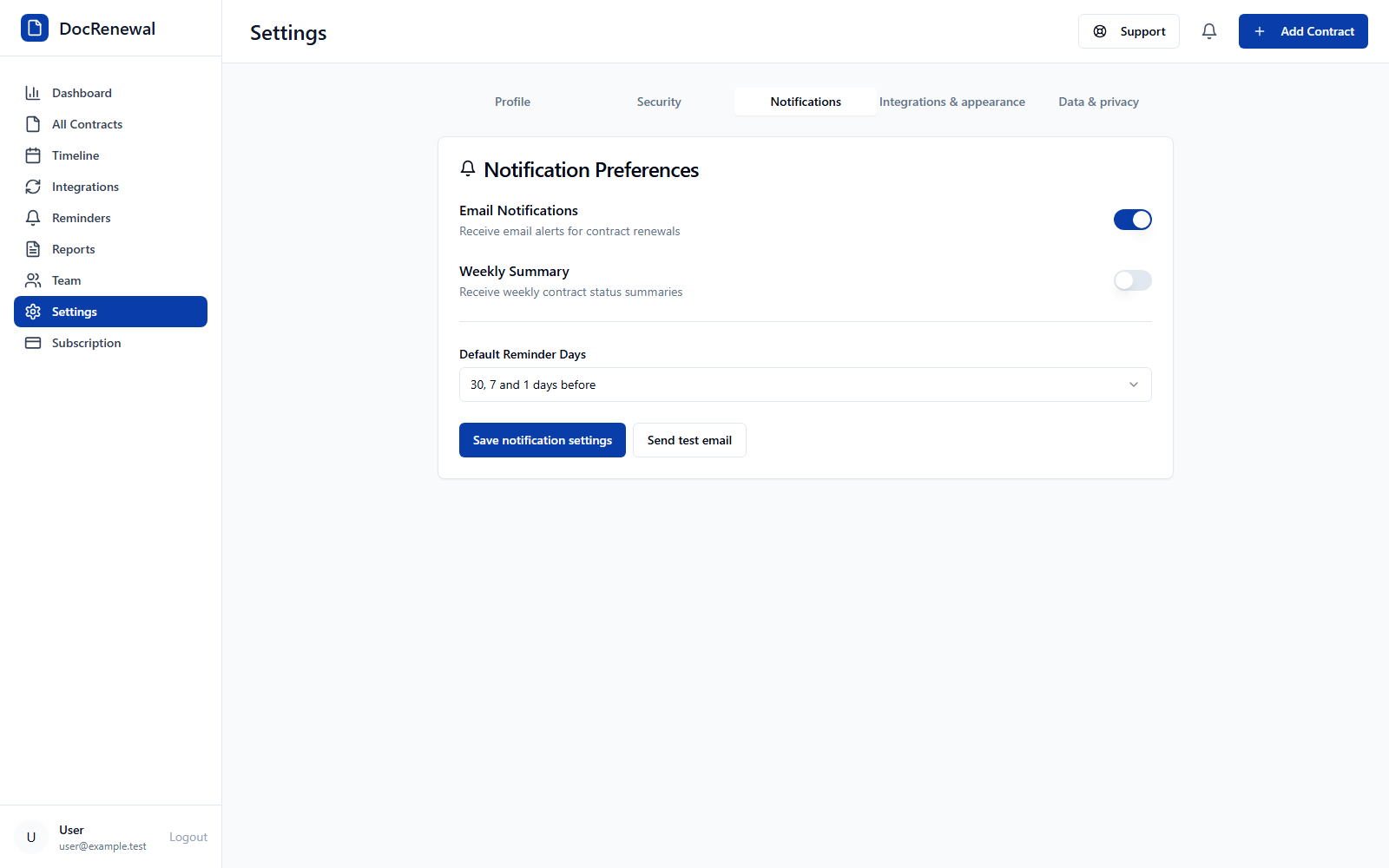
Short answer: Open Settings, enable email notifications, choose a default reminder schedule, and save. DocRenewal offers reminders 30, 7, and 1 day before a date, as well as single alerts 7, 14, 30, 60, or 90 days ahead. Send a test email to confirm delivery before relying on alerts in a workflow.
Check the account email and contract dates
Confirm that the account uses the intended email address and that each contract has verified start, end, and cancellation dates. Reminders cannot compensate for a missing owner or an incorrect date; check the signed agreement and amendments first.
Enable email alerts in Settings
Go to Settings and open Notifications. Turn on email notifications, select the default days-before schedule, and save. If your team also wants a weekly contract status summary, enable that option separately.
Send a test email and check reminder status
Use Send test email to check whether a message reaches the configured account. For scheduled notifications, open the Reminders page and review Pending, Sent, and Failed statuses. Investigate failed delivery rather than assuming an alert reached the recipient.
Choose lead times around the decision process
Choose a schedule that leaves time for service review, budget approval, negotiation, and any notice process in the signed agreement. If a contract requires notice earlier than the usual reminder window, record the actual notice deadline and plan internal checkpoints well in advance.
Frequently asked questions
What email reminder schedules are available?
You can select 30, 7, and 1 days before, or one reminder 7, 14, 30, 60, or 90 days before.
Can I test email notifications?
Yes. Settings includes a Send test email action for the account email address.
Does an email reminder count as formal contract notice?
No. It is an internal notification. Send any required notice using the method stated in the signed agreement.
Email alerts are most useful when each contract has an owner and verified dates. Read more about DocRenewal reminders and contract tracking.